How to Optimise Your Venue Description to Increase Bookings




Getting listed on Tagvenue is the first step.
Getting enquiries is the next one, and that’s where a lot of venue managers end up leaving money on the table.
The difference between a listing that converts and one that gets scrolled past usually isn’t the venue itself, but how clearly and completely the listing communicates what the space offers. Bookers make decisions fast, and if your profile doesn’t answer their key questions immediately, they’ll move on to one that does.
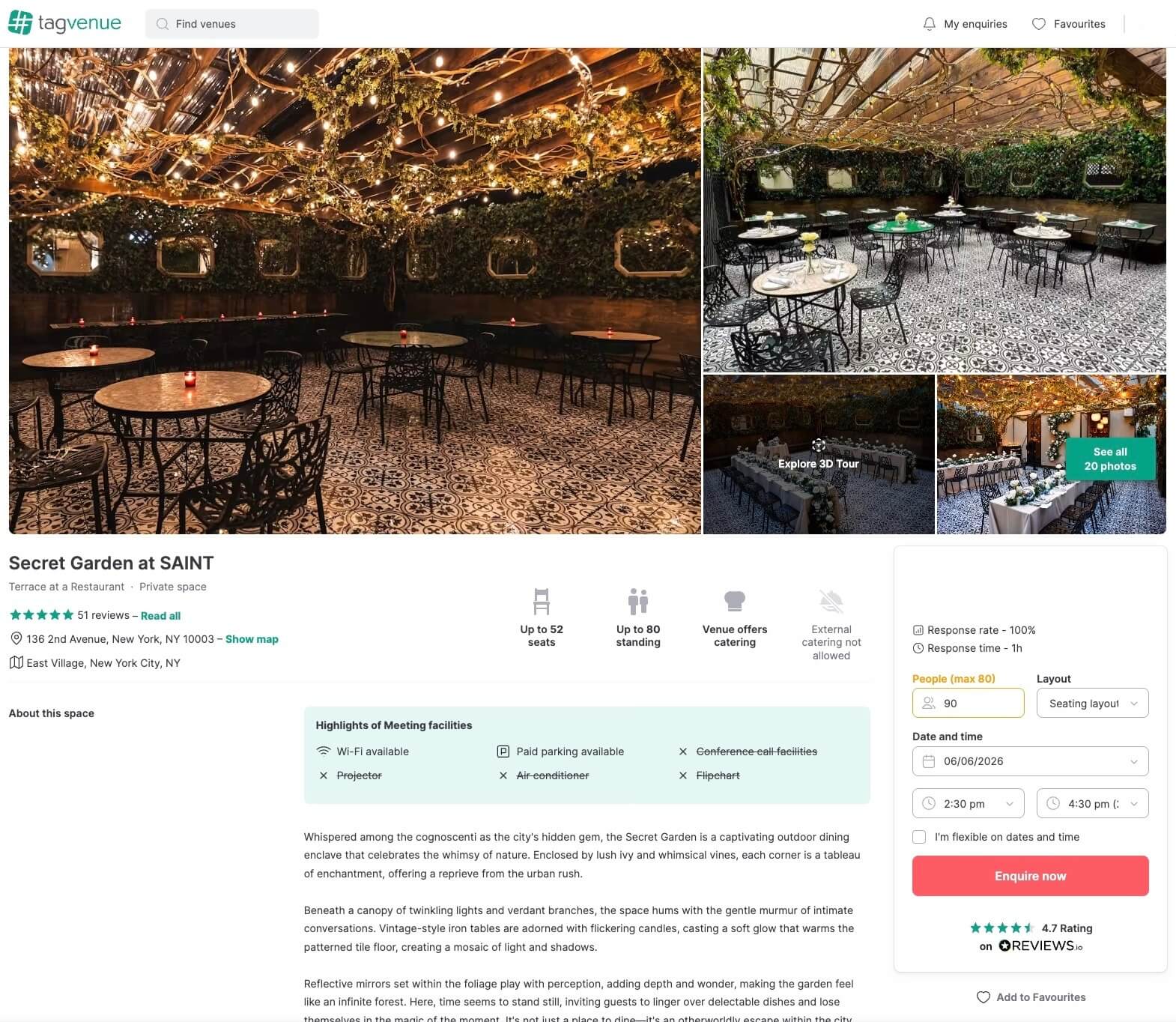
Here are a few ways to prevent that from happening:
1. Write a Description That Works for the Event Planner aka The User
The description is where most listings go wrong. A common mistake is spending too much of it on atmosphere and adjectives, and not enough on the practical information a booker actually needs. Most venue managers refer to their venues as “stunning,” “unique,” “unforgettable”, and if that was true, every venue would be a hidden gem, so here’s what actually matters for a venue description:
- What types of events the space is suited for: Don’t make the users guess. If your space works for corporate meetings, birthday parties, workshops, and photo shoots, say all of that. The user needs to know if your space fits their requirements right away.
- Capacity: for different layouts if possible (standing, seated, theatre-style, etc.) Always consider the fact that the layout should be comfortable for guests to move around.
- Key features: Users want to know if the venue provides AV equipment, natural light, kitchen access, outdoor space, parking, accessibility, and so on. This speeds up the decision-making process.
- What’s included: furniture, staff, equipment, or anything else that comes with the hire. An event planner is more likely to book a space that provides some perks than none, so make that clear in your venue profile.
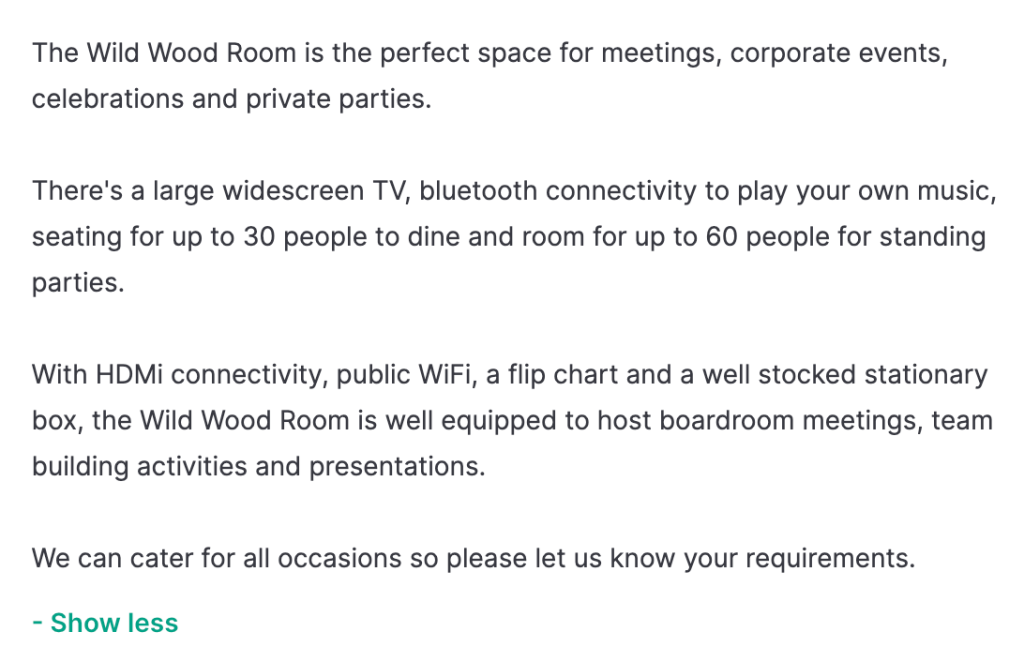
Make it easy for them to find what they need. Here’s an example of a good description:
Related: How to List Your Space to Make More Money on Tagvenue
2. Photos Are Your Most Important Asset
If your listing has blurry, dark, or poorly framed photos, no amount of good copy will save it. Photos are how bookers visualise their event in your space, and they’re making that judgement in seconds. As explored in this LinkedIn article on why you need venue photos to attract attention, strong venue photography is one of the most direct and immediate ways to attract attention, and it’s often the deciding factor before a booker even reads a word of your description.
Users check out the photos before anything else, so make sure they are of high quality and show all the spaces available in your venue.
A few principles that make a real difference:
- Natural light where possible: shoot during the day with blinds or curtains open
- Multiple setups: show the space empty, set up for a meeting, set up for a dinner, set up for a standing event. This alone signals versatility and helps different bookers see themselves there.
- Cover every area: main space, entrance, bathrooms, outdoor areas, and kitchen, if relevant. Bookers notice when photos seem to be hiding something.
- Horizontal orientation: vertical photos look awkward in listing galleries and cut off important parts of the room
- The more photos, the better: listings with more high-quality images consistently attract more enquiries
You don’t need a professional photographer for every shot, but you do need good lighting and a tidy space. A phone camera in a well-lit room beats a DSLR in a dark one.
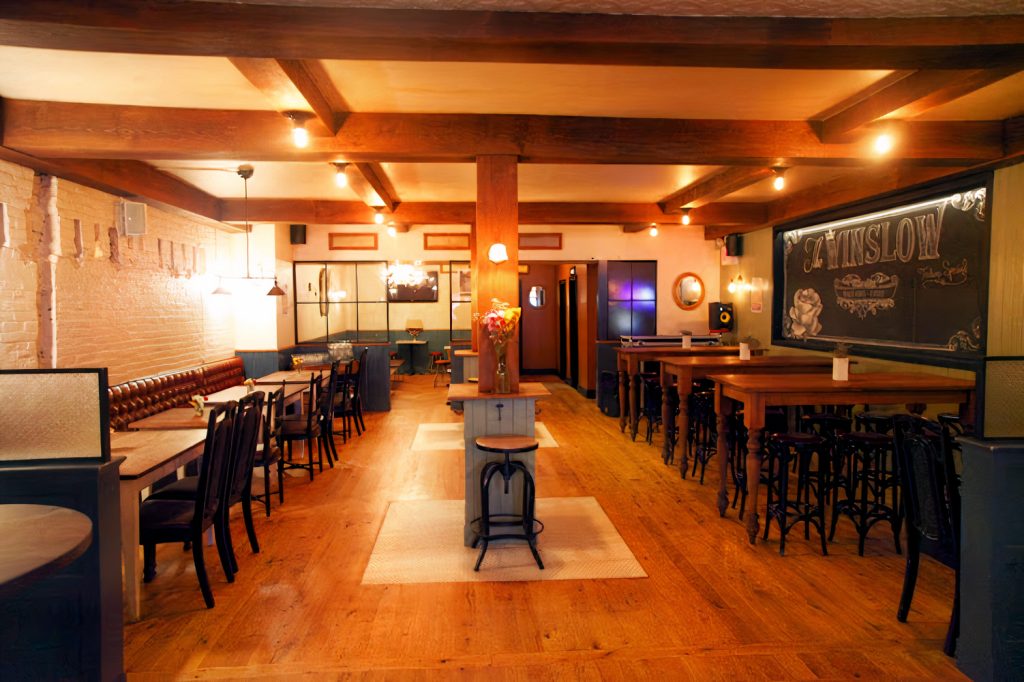
This is a great example of how a simple shot can help users quickly understand whether your venue is the right fit, bringing in more relevant and higher-quality enquiries. Good lighting, high resolution, and a wide angle all make a big difference, especially when the layout is clearly visible (if your venue supports more than one type of layout, make sure to get shots of all of them).
Related: Photography Tips and Tricks for Beginners
3. Pricing: Be Transparent, Be Flexible
Unclear pricing is one of the biggest conversion killers on any venue platform. If a booker can’t figure out what it’s going to cost them, they’ll enquire somewhere else where they can. The Events Calendar puts it well: well-structured, tiered pricing not only makes your venue more accessible to a wider range of clients, but also helps filter out enquiries that were never a good fit to begin with.
A well-structured pricing section should include:
- Hourly and daily rates (where applicable): Many bookers, especially corporate ones, don’t need a full day and won’t enquire if they can only see full-day pricing
- Minimum spend or minimum hire duration: If these apply, state them clearly upfront rather than letting bookers find out mid-conversation
- Weekday vs. weekend rates: if you offer different pricing, show it. Weekday rates in particular attract a different type of booker who may not enquire if they assume your pricing is weekend-only
- What’s included at each price point: a hire fee that includes AV and furniture is very different from one that doesn’t, make that clear
The goal isn’t to list every possible scenario, but to give bookers enough information to know whether your venue fits their budget before they reach out.
Related: How to Price Your Venue: A Practical Tagvenue Guide for Small Businesses
4. List Every Event Type Your Space Can Host
Tagvenue surfaces venues based on the event categories they’re listed under.
Go through your listing and make sure you’ve selected every event type that genuinely applies. A warehouse space, for example, might work equally well for corporate away days, birthday parties, product launches, photo shoots, and networking events. Each of those is a separate search intent and a separate pool of potential bookers.
This is one of the simplest and highest-impact changes you can make to an existing listing.
Related: How to Transform Your Venue into a Multi-Purpose Event Space and Boost Revenue
The Bottom Line
A well-optimised listing doesn’t just look better, it works harder for you around the clock, attracting the right bookers and filtering out the wrong ones before they even reach out.
Go through each of these steps on your existing listing and treat it as an ongoing process rather than a one-time task. The venues that consistently perform well on Tagvenue aren’t always the biggest or the most impressive, but the ones that make it easiest for the right booker to understand if they’re actually what they’re looking for.
Tagvenue is built to help your listing do the heavy lifting, blending search-friendly visibility with the kind of descriptive language that turns casual browsers into actual bookings. A little effort on your end goes a long way when the platform is already working in your favour.
If you haven’t listed your venue yet, now is a good time to do it. And if you’re already listed, log in and see how your profile holds up against these steps, there’s almost always something worth improving. Improve your listing now!
Related articles
See all