How to Book a Venue on Tagvenue: A Step-by-Step Guide for Every Event




Finding the right venue can be one of the most stressful parts of planning an event. Whether you’re organising a birthday dinner, booking a corporate offsite, or managing a client event, the process can involve endless emails, unclear pricing, and hours of searching across scattered websites.
That’s where Tagvenue comes in. It’s a free venue booking marketplace with over 20,000 verified spaces across the UK, US, Canada, Australia, Singapore, and Ireland. The platform brings venue search, comparison and enquiries into one place, helping you narrow down suitable spaces more quickly and with a clearer idea of pricing and availability.
To book a venue on Tagvenue, search by event type, location, date and guest count, then filter by budget and amenities. Compare suitable venues, send a free enquiry to one or more spaces, and discuss availability, pricing and your requirements with the venue manager. Once you’ve agreed the details, you can confirm the booking and arrange payment.
Booking a venue on Tagvenue requires five main steps:
| Step | What you do |
| 1. Search for a Venue | Enter your event type, location, date and guest count, then use filters such as budget, capacity, amenities and neighbourhood to narrow the results to spaces that suit your event. |
| 2. Compare Your Options | Review each venue’s pricing guidance, capacity, layout, amenities, location and photos, then save your strongest options to a shortlist before deciding which venues to contact. |
| 3. Send an Enquiry | Send your event details and requirements to one or more venue managers to check availability, discuss your needs and receive more accurate pricing. Sending an enquiry does not commit you to booking. |
| 4. Confirm the Details | Clarify the final price, what is included, any extra charges, catering or timing restrictions, deposit requirements and cancellation terms before you commit. |
| 5. Make Your Booking | Once you are happy with the venue and terms, agree the final package and complete the booking and payment process required by that venue. Your booking is confirmed once the relevant acceptance and payment steps are complete. |
The sections below explain each step in more detail, with practical advice for private hosts, corporate bookers and event planners.
Step 1: Search for a Venue
Step 1: Search for a Venue
Start by entering your event type, location and guest count on tagvenue.com. The search results will show venues that match those basic requirements, which you can then narrow down using filters.
Use Filters to Narrow Your Search
Once you have your initial results, you can refine them using the platform’s smart filters:
Venue style – Browse by category, from private dining rooms and rooftop venues to warehouse spaces and gallery hire.
Budget range – Set a minimum and maximum spend so you only see venues that fit your budget. No more falling in love with a space only to discover it’s outside your price range.
Specific amenities – Filter for features such as a projector and screen, late licence, private garden, catering options, or other requirements.
- Venue style – Browse by category, from private dining rooms and rooftop venues to warehouse spaces and gallery hire.
- Neighbourhood-level search – Drill down to specific areas within a city, such as Shoreditch in London, Midtown Manhattan in New York, or the CBD in Melbourne.
For corporate bookers: Filters for AV equipment, Wi-Fi, accessibility, and flexible seating layouts can help you compare meeting rooms or workshop spaces against your requirements.
For event planners: Combining neighbourhood and capacity filters can help you build a relevant shortlist without wasting time on unsuitable venues.
You may also like:What Is Tagvenue? How It Works + Why 1M+ Users Book Through It
Step 2: Compare Your Options
Compare the venues that best match your event before sending an enquiry. Each Tagvenue listing gives you key information about the space, including photos, capacity, pricing guidance, amenities and venue details:
| What to compare | What venue features to check |
| Price | Starting prices, per-person rates or minimum spend information, so you can see whether the venue is likely to fit your budget. |
| Capacity and layout | Standing, seated and dining capacities to make sure the space works for your guest count and preferred setup. |
| Amenities | Catering options, AV equipment, wheelchair accessibility, outdoor areas and any other features your event requires. |
| Location | The neighbourhood and how convenient it is for your guests. |
| Photos and suitability | Photos of the space and the venue description to assess the layout, atmosphere and overall fit for your event. |
Save Your Favourite Venues and Build a Shortlist
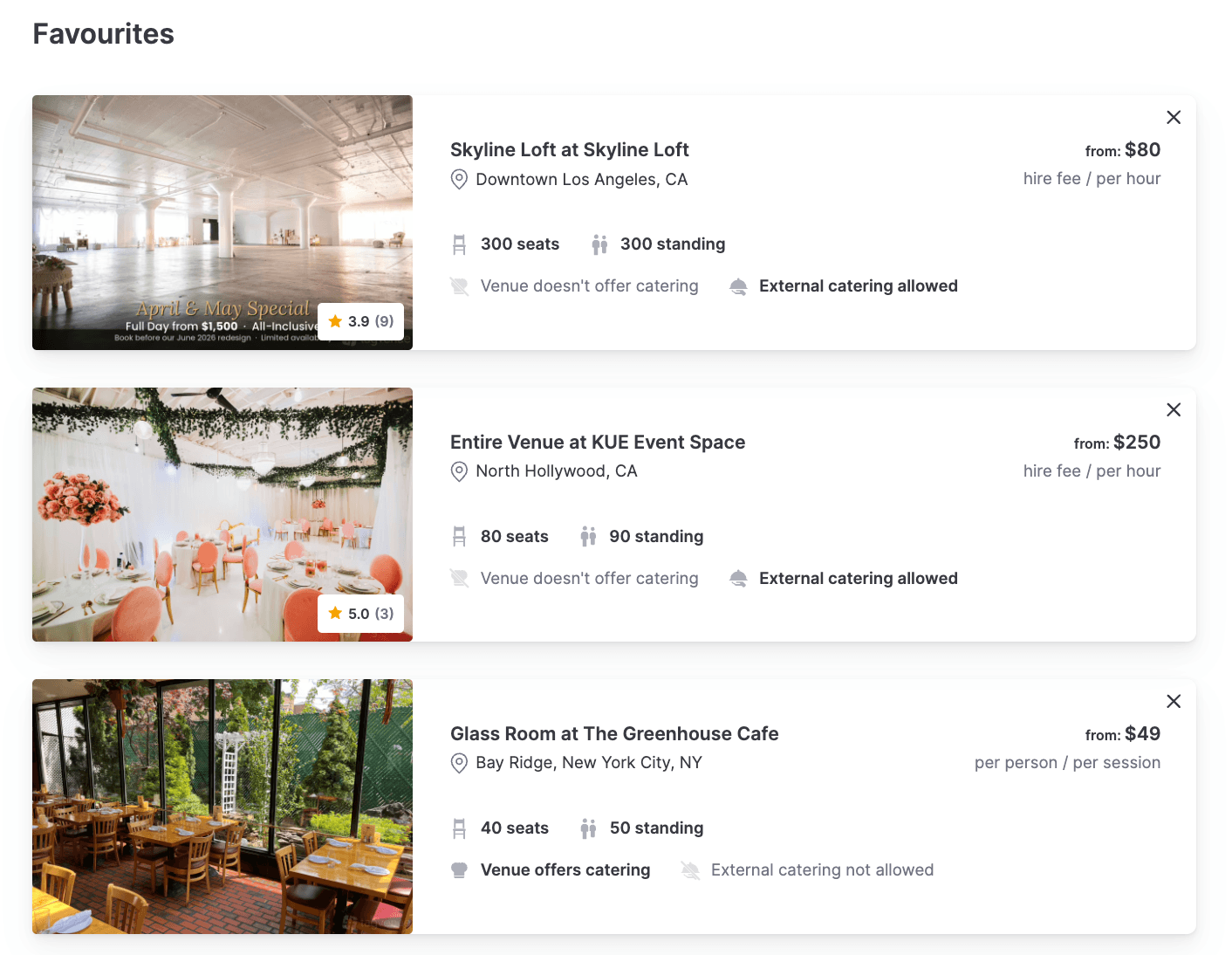
As you browse, use “Add to Favourites” to save venues you’re considering. Your shortlist lets you keep your strongest options together and compare them before deciding which venues to contact.
It can also be useful when other people are involved in the decision. You can share your shortlist with friends, family, colleagues or a client so they can review the options before you move forward.
Once you’ve identified your strongest choices, you can send enquiries to several shortlisted venues rather than contacting them one at a time.
Step 3: Send an Enquiry
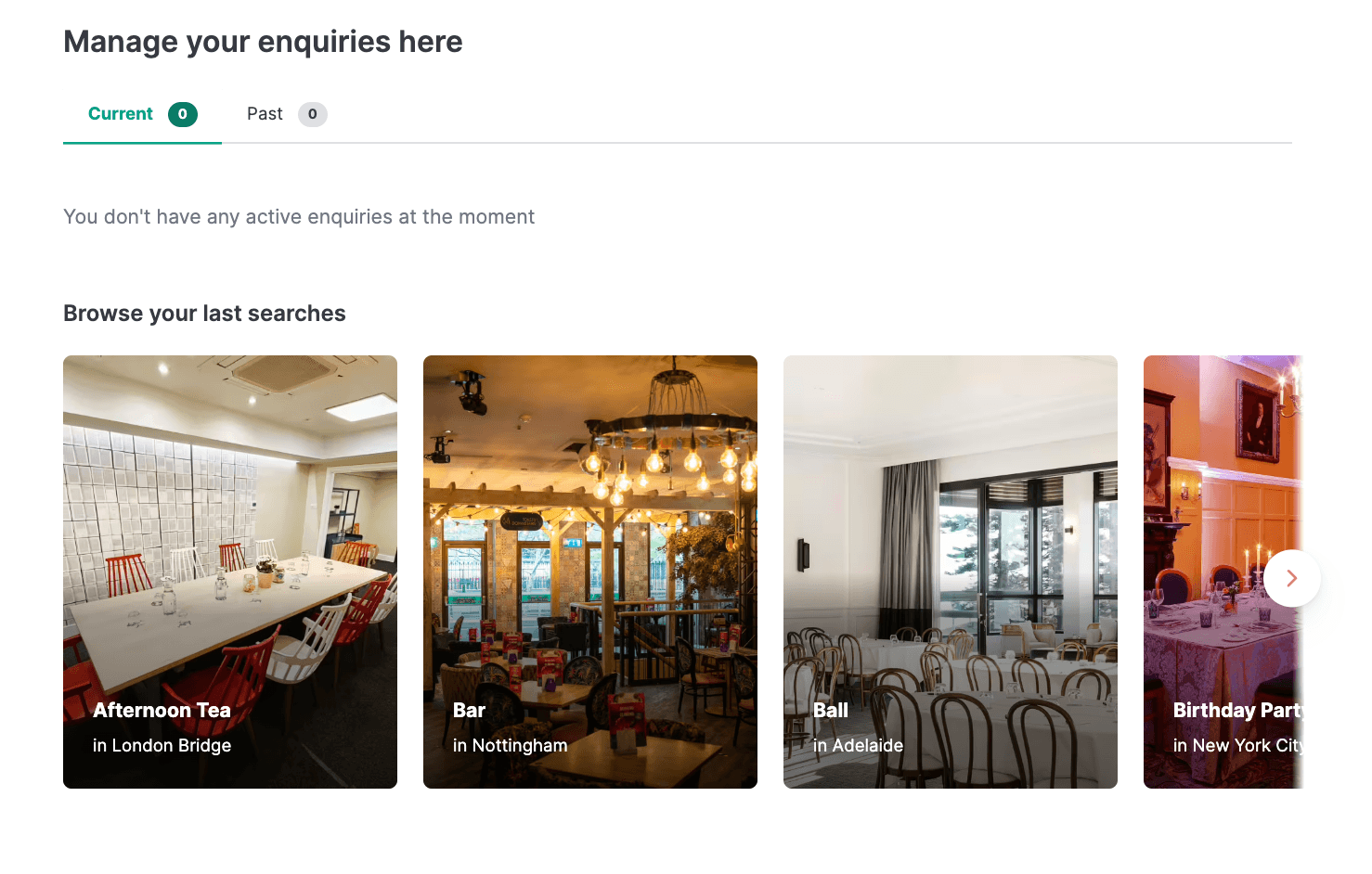
Once you’ve found one or more venues that look right, send an enquiry to the venue manager. Tagvenue uses an enquiry-based booking model, so this is your opportunity to check availability, get a more accurate quote and discuss the specific requirements of your event..
Sending an enquiry does not commit you to booking the venue. It simply starts a conversation with the venue manager.
What to Include in Your Enquiry
Provide enough detail for the venue to assess whether your event is suitable for their space and give you an accurate response:
- Event date – or a range of possible dates if you’re flexible.
- Number of guests – Be as accurate as possible. This can affect pricing and room suitability.
- Event type – such as a wedding reception, a corporate dinner, a product launch, or something else entirely.
- Specific requirements – including catering, AV equipment, accessibility needs, late-night access, or anything else the venue should know about.
The more useful information you provide upfront, the easier it is for the venue manager to respond with relevant availability and pricing.
Can You Enquire About More Than One Venue?
Yes. You can send enquiries to several venues while you compare your options and you are not committed to any of them simply by enquiring.
If you’ve built a shortlist, contacting several suitable venues at the same time can help you compare availability, quotes and responses without waiting for one venue before approaching the next.
If you’re an event planner, it’s an especially useful approach if you’re working to a tight deadline or want to compare quotes before committing.
Step 4: Confirm the Details
After you send an enquiry, the venue manager receives a notification and will typically respond within 4-5 hours. Many venues will answer even faster, especially Supervenues (venues with consistently high response rates and performance).
The response will usually include:
- Availability confirmation for your requested date.
- A detailed pricing breakdown covering room hire, per-person costs, catering packages, and any extras.
- Answers to your specific questions about layout, equipment, menus, or anything else.
This is your opportunity to discuss the finer details. Don’t hesitate to ask follow-up questions. Good venues expect it and are happy to work with you to get everything right.
What to Ask Before You Book a Venue
| Question to ask | Why it matters |
| Is the full price confirmed in writing? | An itemised quote makes it easier to understand exactly what you are paying for. |
| Are there any additional charges? | Ask about costs such as staffing, security, cleaning, setup, equipment or other extras that may not be included in the headline price. |
| Is outside catering allowed? | If you want to use your own caterer or have specific food requirements, check whether the venue has restrictions or preferred suppliers. |
| Are there any time or noise restrictions? | Confirm access times, when the event must finish and whether there are limits on music or other activities. |
| Will the space be exclusive to my event? | Some venues may host more than one event at the same time, so check what areas and facilities are included in your booking. |
| What deposit is required and when is it due? | Make sure you understand the amount and payment terms before confirming. You can find more about how payment and invoicing works on the Tagvenue support page. |
| What is the cancellation or amendment policy? | Check what happens if you need to change the date, guest numbers or cancel the booking. The Tagvenue support page on cancellations and amendments covers the key points. |
Step 5: Make Your Booking
Once you’ve agreed on the price, availability and details of your event, you’re ready to confirm the booking and arrange payment. Payment is arranged directly between you and the venue. Depending on the venue, this may involve a deposit to secure your date, with the remaining balance due before or on the event date. Your payment information is handled securely through the platform. For details on payment methods and processes, visit the payment support page.
The final steps typically involve:
- Agreeing on the final price and package, including any extras you’ve discussed.
- Reviewing the payment terms, including whether a deposit or full payment is required to secure the date.You can find general guidance about this topic on the Tagvenue deposits support page.
- Completing the booking and payment. For bookings handled through Tagvenue, you may be asked to add your payment details, accept the venue’s terms and submit a booking request. Other venues may provide their own payment instructions.
- Receiving confirmation once the booking has been accepted and payment requirements have been completed..
For online-payment bookings, submitting a booking request places an authorisation hold on your card rather than charging it immediately. If the venue accepts the request, your card is charged and the booking is confirmed. If the venue does not respond before the request expires, the authorisation hold is released and no payment is taken.
If your booking is completed through Tagvenue, you can track its status in your account. Once confirmed, it will appear as “Booking Confirmed.”
For more information about deposits, payment methods and booking security see Tagvenue’s guide on booking and payment security.
Is Booking on Tagvenue Really Free?
Yes. Searching for venues, sending enquiries and booking through Tagvenue is free for users. You pay the price agreed with the venue; Tagvenue does not add a separate booking or service fee for the booker.
Tagvenue earns revenue by charging venues a commission on confirmed bookings rather than charging the person organising the event.
For a full explanation of how this works, read Why Is Booking Free for Users on Tagvenue? (And How Do We Make Money).
If you need a receipt or invoice for your booking, see Tagvenue’s support page on requesting a receipt.
You may also like: 10 Reasons Why Tagvenue Is the Best Choice for Your Next Event
Pro Tips for a Faster, Smoother Booking
Whether you’re a first-time host or a seasoned event planner, these tips will help you get the most out of Tagvenue.
1. Enquire Early, Especially for Popular Dates
Popular venues can book up quickly, for Friday and Saturday evenings, Christmas parties, and summer weekends. If your date is fixed, start your venue search at least four to six weeks in advance.
2. Keep Your Tagvenue Account Updated
Creating a Tagvenue account lets you save shortlists, keep track of your enquiries, and manage your bookings in one place. It takes less than a minute to set up and is especially useful when you’re comparing several venues or planning more than one event.
3. Be Flexible With Your Date
If your event date isn’t fixed, mention this in your enquiry. Alternative dates, midweek bookings or off-peak times may give you more options and can sometimes offer better value.
4. Look for Supervenue Status
Venues with a Supervenue badge have consistently high response rates, positive reviews, and strong performance on the platform. If speed and reliability matter to you, and they usually do, prioritising Supervenues is a smart move.
5. Read the Cancellation Policy Before You Commit
Life happens, and plans change. Before you confirm a booking, make sure you understand the venue’s cancellation and amendment policy. Knowing your options up front gives you peace of mind.
Conclusion
Booking a venue on Tagvenue comes down to five-steps: search, compare, enquire, confirm the details, and make your booking. Taking time to compare your options, ask the right questions and understand the final price and booking terms can help you choosea venue with fewer surprises.
Whether you’re planning a private celebration, corporate event or client event, you can use Tagvenue to search for suitable spaces and contact venue managers directly.
For more details on how the platform works, check out the full Tagvenue Users FAQ or read our guide on What Is Tagvenue?
FAQs
How Long Does It Take to Get a Response After Sending an Enquiry?
Most venue managers respond within 4-5 hours. Many venues can reply much faster, especially Supervenues, which are recognised for their quick response times. If you haven’t heard back within 48 hours, Tagvenue’s team may follow up with the venue on your behalf. You can learn more in the Users FAQ.
Can I Book a Venue Instantly on Tagvenue?
Tagvenue is a self-serve marketplace. Instant booking is available for production and meeting spaces and tailored quotes for other types of events.
Is Tagvenue Really Free for Bookers?
Yes, its 100% free. You won’t pay a booking fee, service charge, or any hidden cost. Tagvenue earns revenue through a commission charged to venues on confirmed bookings, not from you. The price quoted by the venue is the price you pay. Read the full breakdown here: Why Is Booking Free for Users on Tagvenue?
Do Venues on Tagvenue Respond Quickly?
Response times vary, but Tagvenue incentivises fast replies through its Supervenue programme. Supervenues are venues that consistently respond promptly, maintain high ratings, and deliver excellent service. If a fast turnaround matters to you, look for the Supervenue badge when comparing options.
What If I Need to Cancel or Change My Booking?
If your plans change, check the venue’s cancellation policy first. Each venue sets its own terms, but Tagvenue provides general guidance on cancellations and amendments. It’s always best to contact the venue as early as possible if you need to make changes.
Can I Search for Venues in My City?
Tagvenue operates across six countries – the UK, US, Canada, Australia, Singapore, and Ireland with dedicated pages for major cities. Whether you’re looking for a party venue in Manchester, a meeting room in Chicago, or a restaurant for hire in Toronto, you can search by city and drill down to specific neighbourhoods. Browse all locations on the Tagvenue homepage.
Related articles
See all
What Do Employees Actually Want From a Work Christmas Party in 2026?
Tagvenue Event Planning Index 2026: How the UK, US, Australia and Singapore Are Booking Events